ADVISOR - Revenue & Expense Statements: Navigating to My Files
Advisor Revenue and Expense statements are no longer available in Nexus. To view your new Revenue and Expense statements, please go to the Mutual Power Portal. Below are two routes to get there:
- Via the Power Portal
- Click on My Files from the banner.
- Use the filter features to find the file you are looking for.
- Download the excel version of your Revenue and Expense Statement.
- Go directly to My Files and follow the same navigation outlined above.
If you are also a Hybrid client, your Revenue and Expense statements can now be found here as well, in addition to other important Client Compensation related documents, such as annual 1099 forms.
If you cannot access the Portal, please submit a case to Technology.
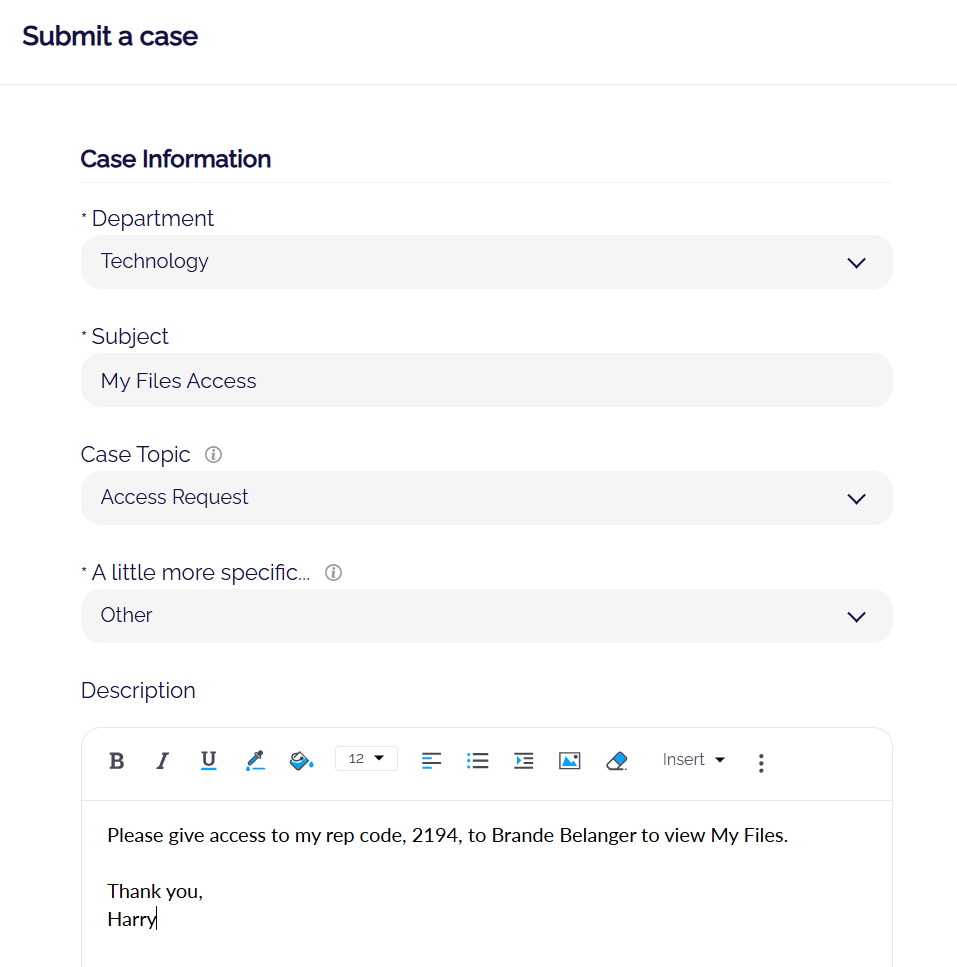
To grant or revoke admin access to My Files, please submit a case to Technology and include the applicable rep code and the name of the admin whose access should be added or removed.
See example:
Related Articles
ADVISOR - My Files Reports Available
There are three routinely generated reports posted for you in the Advisor Portal in My Files: Forecast Billing Revenue & Expense Statement Final Billing Report Forecast Billing - one per associated rep code This report is generated ...3Q2026 Billing and Advisor Compensation and Reporting Timeline
Attached is the Billing and Advisor Compensation Timeline for advisors on a quarterly fee billing schedule. This timeline details events that will take place throughout the quarter: Investor Client Forecasting Report publishing dates Revenue and ...2Q2026 Billing and Advisor Compensation and Reporting Timeline
Attached is the Billing and Advisor Compensation Timeline for advisors on quarterly fee billing schedules. This timeline details the events will take place: Investor Client Forecasting Reports publishing dates Revenue and Expense Statement publishing ...Advisor Annual Notification Delivery Options
Advisor Annual Notification Delivery Options Every year, Mutual Advisors, LLC (“Mutual”) is required to provide investor clients with an annual notification that identifies whether or not any material changes have been made in the last 12 months to ...ADVISOR - Forecast Billing Reports
Preliminary Investor Account Billing Calculations aka Forecast Billing Reports - one per associated rep code This report is generated approximately two weeks (ten business days) prior to the end of every quarter in preparation for quarterly advisory ...